WireGuard Management
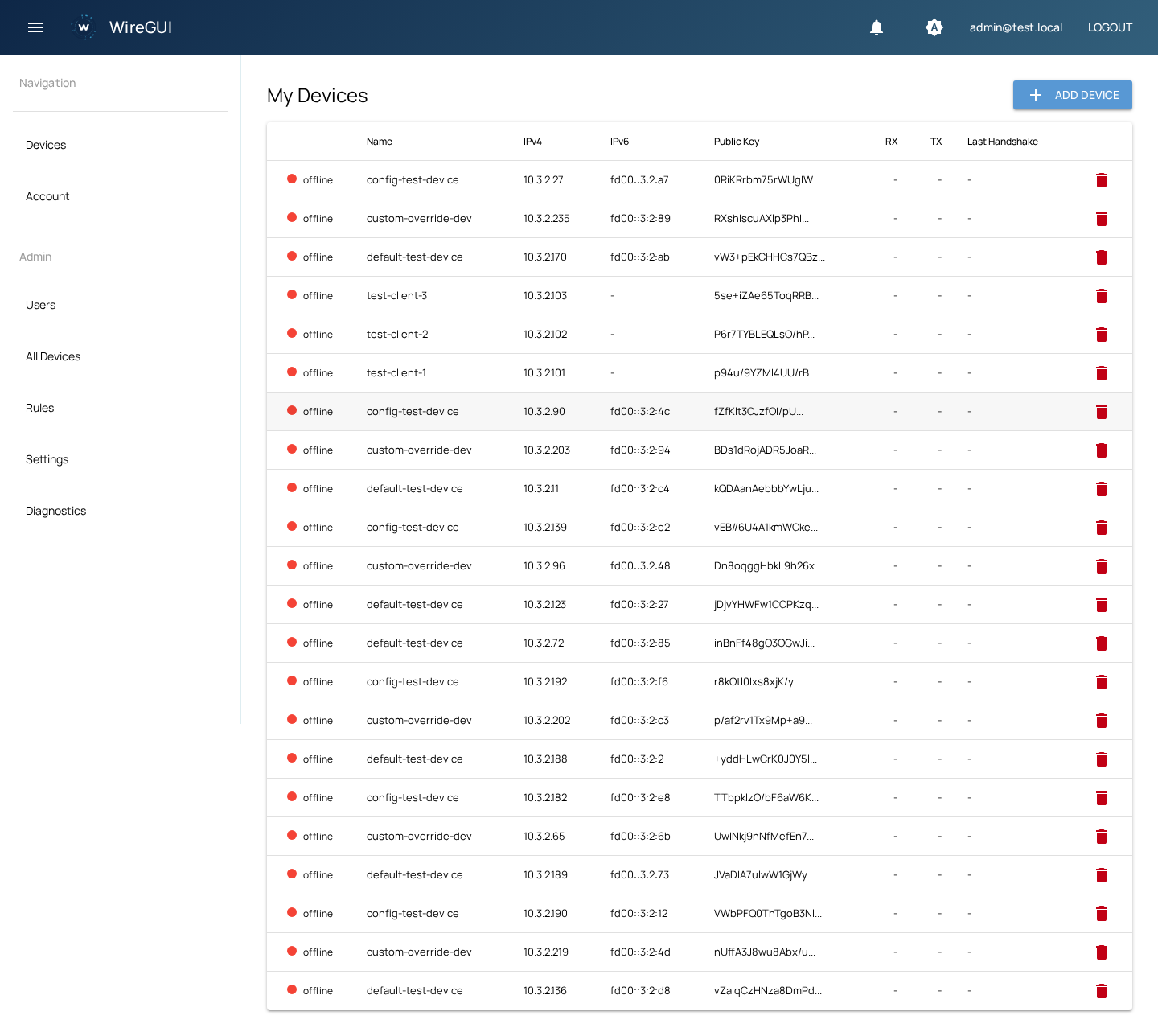
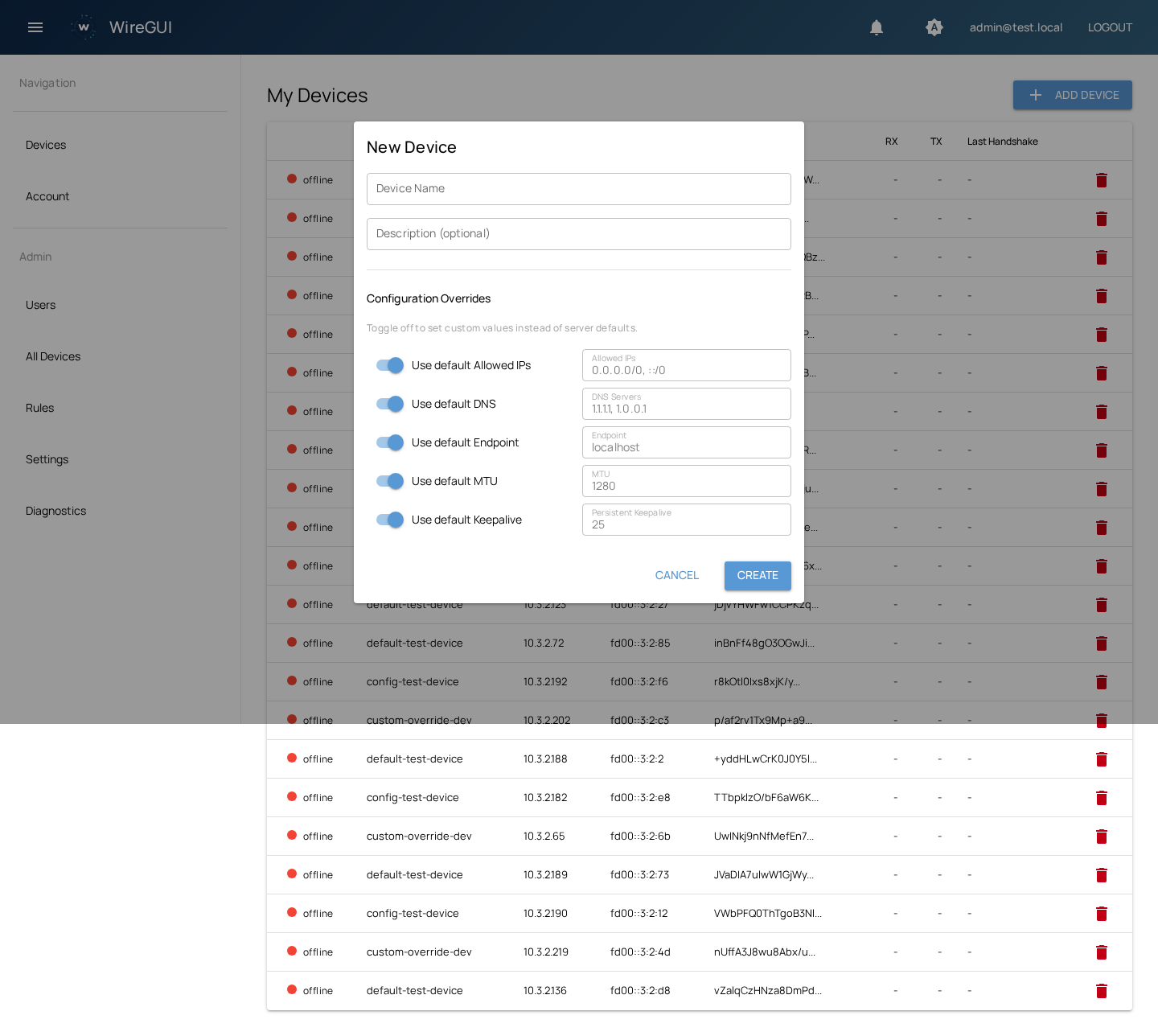
Create and manage VPN peers with automatic IPv4/IPv6 allocation, QR code provisioning, and downloadable .conf files.
A clean web interface for managing WireGuard peers, firewall rules, and user authentication — without depending on any third-party cloud service. Fully transparent, fully yours.
Built for teams and individuals who want full control over their VPN infrastructure.
Create and manage VPN peers with automatic IPv4/IPv6 allocation, QR code provisioning, and downloadable .conf files.
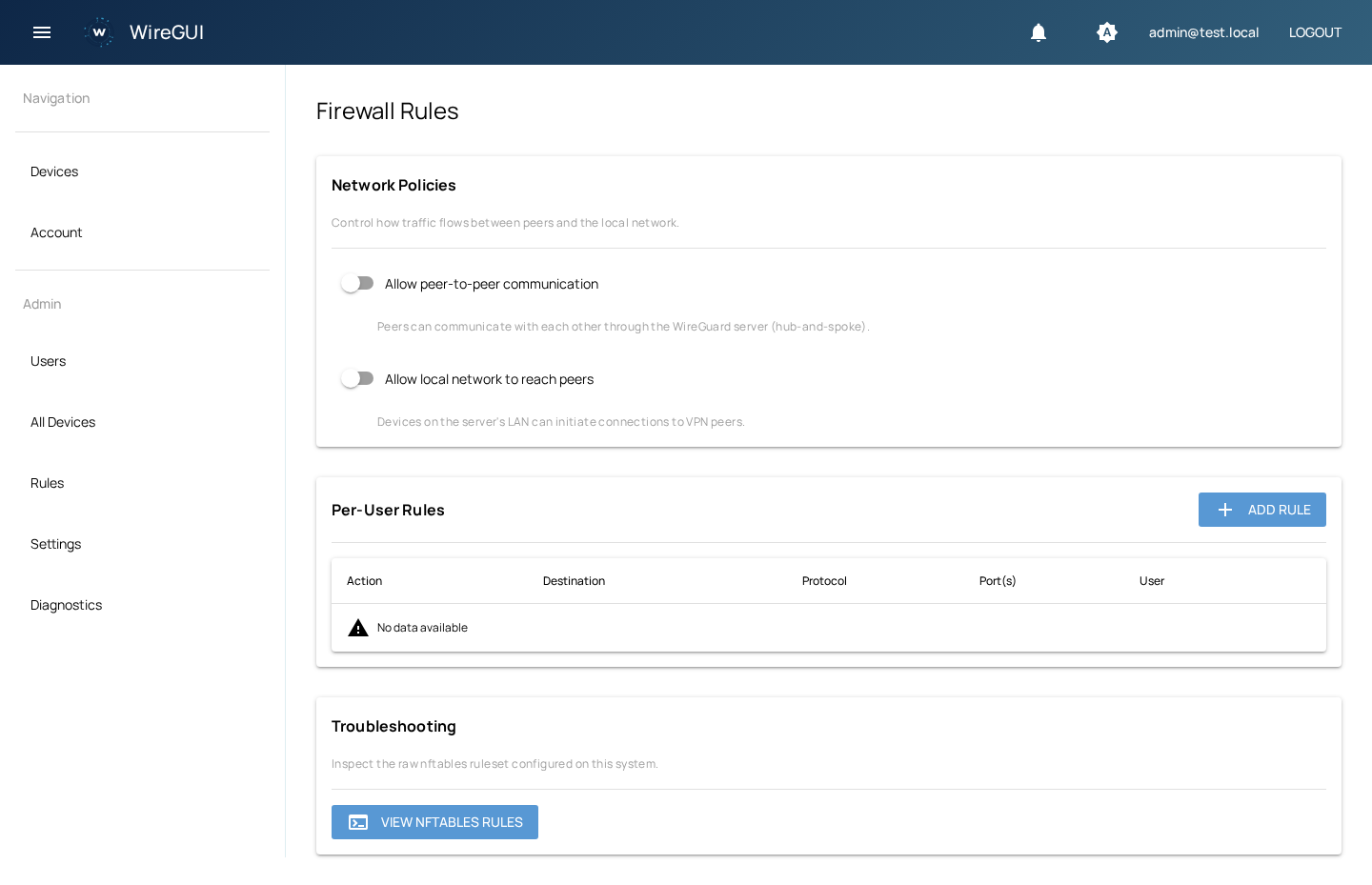
Per-user nftables chains with CIDR, protocol, and port range support. Network policies apply instantly.
Route whole subnets through a peer for site-to-site links and VPN relays. Server-side allowed-ips, kernel routes, and firewall jumps are configured automatically and reconciled with your config.
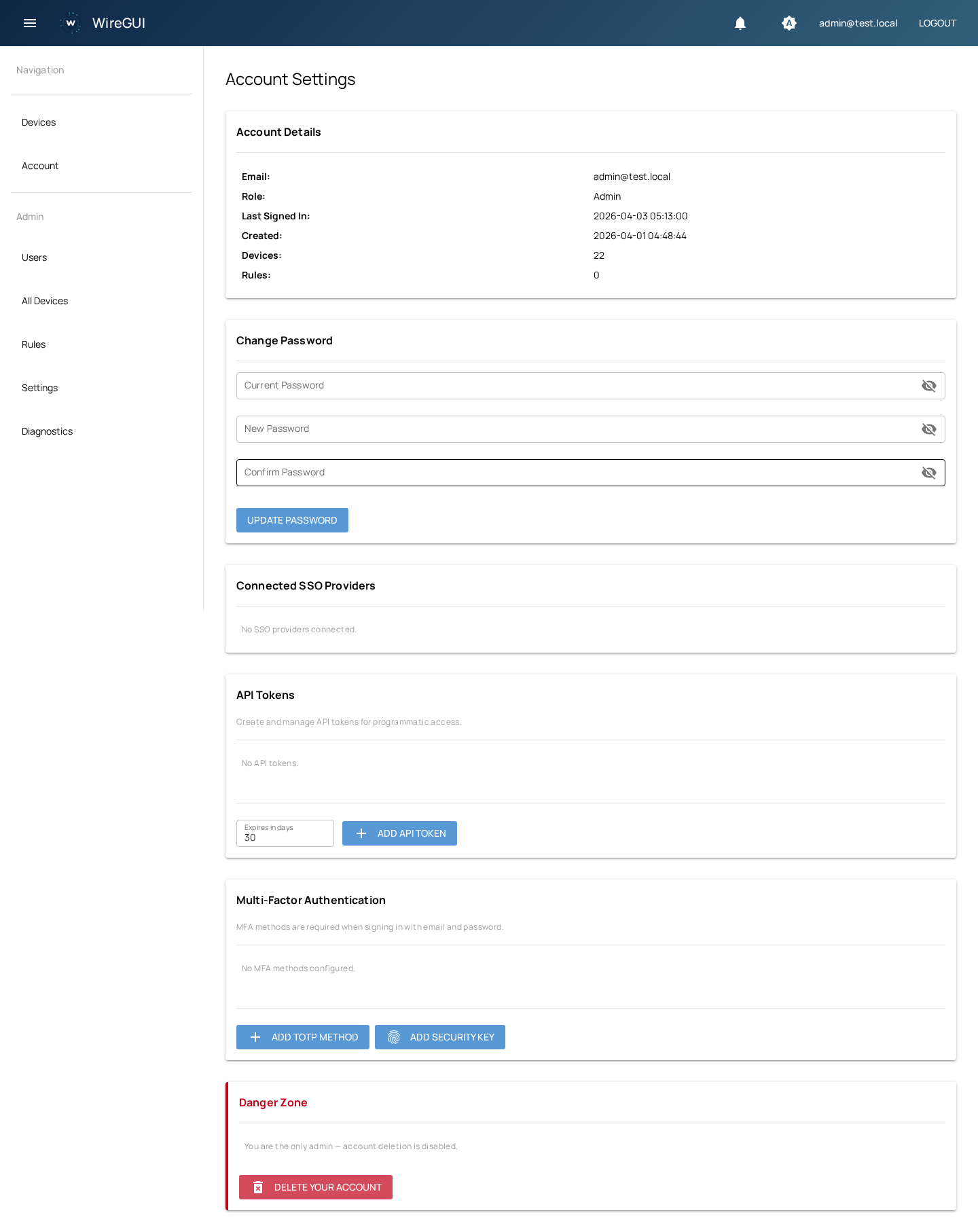
TOTP authenticator apps (Google Authenticator, Authy, 1Password) and WebAuthn security keys (YubiKey, Touch ID).
OpenID Connect and SAML 2.0 with auto-provisioning. Works with Okta, Auth0, Keycloak, Azure AD, and more.
Full-featured /api/v0 with token authentication for programmatic management of users, devices, rules, and configuration.
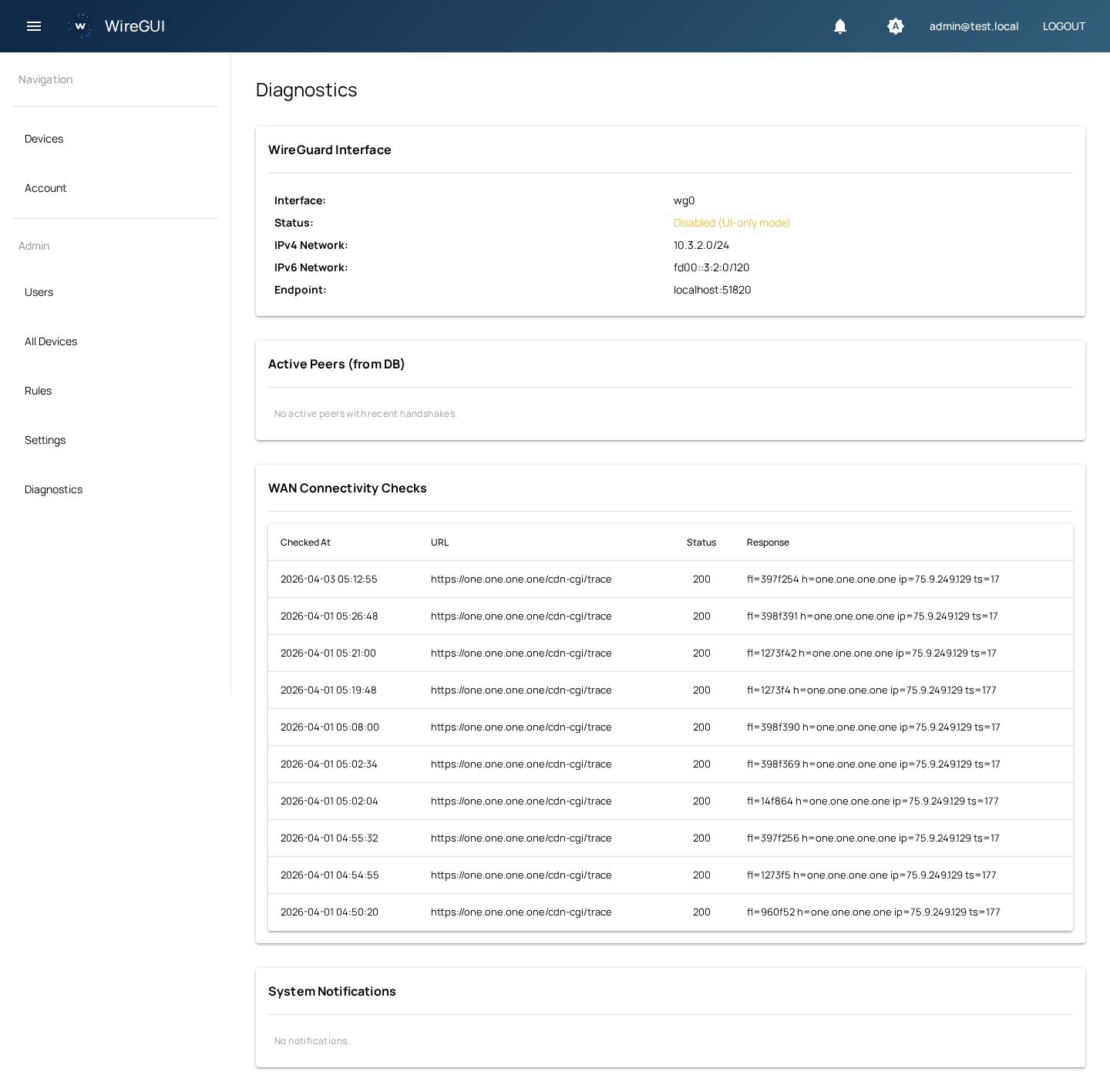
Live RX/TX counters, traffic charts, handshake tracking, WAN connectivity checks, and system notifications.
Passwordless email-based login when SMTP is configured. No password to remember, no friction for users.
Configurable VPN session durations with automatic peer expiry. Users re-authenticate on schedule.
User-selectable dark/light theme stored in profile. Auto mode follows system preference.
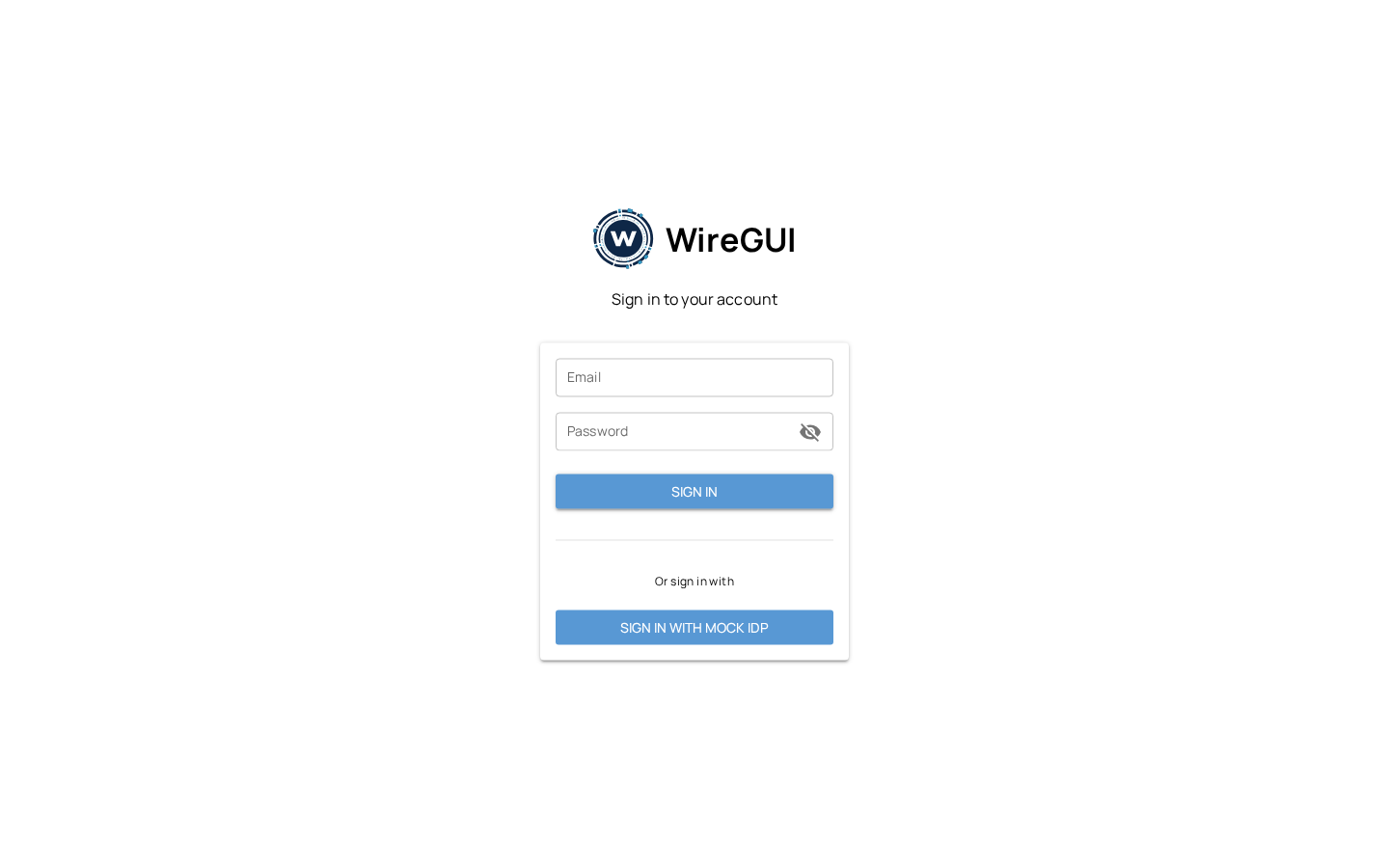
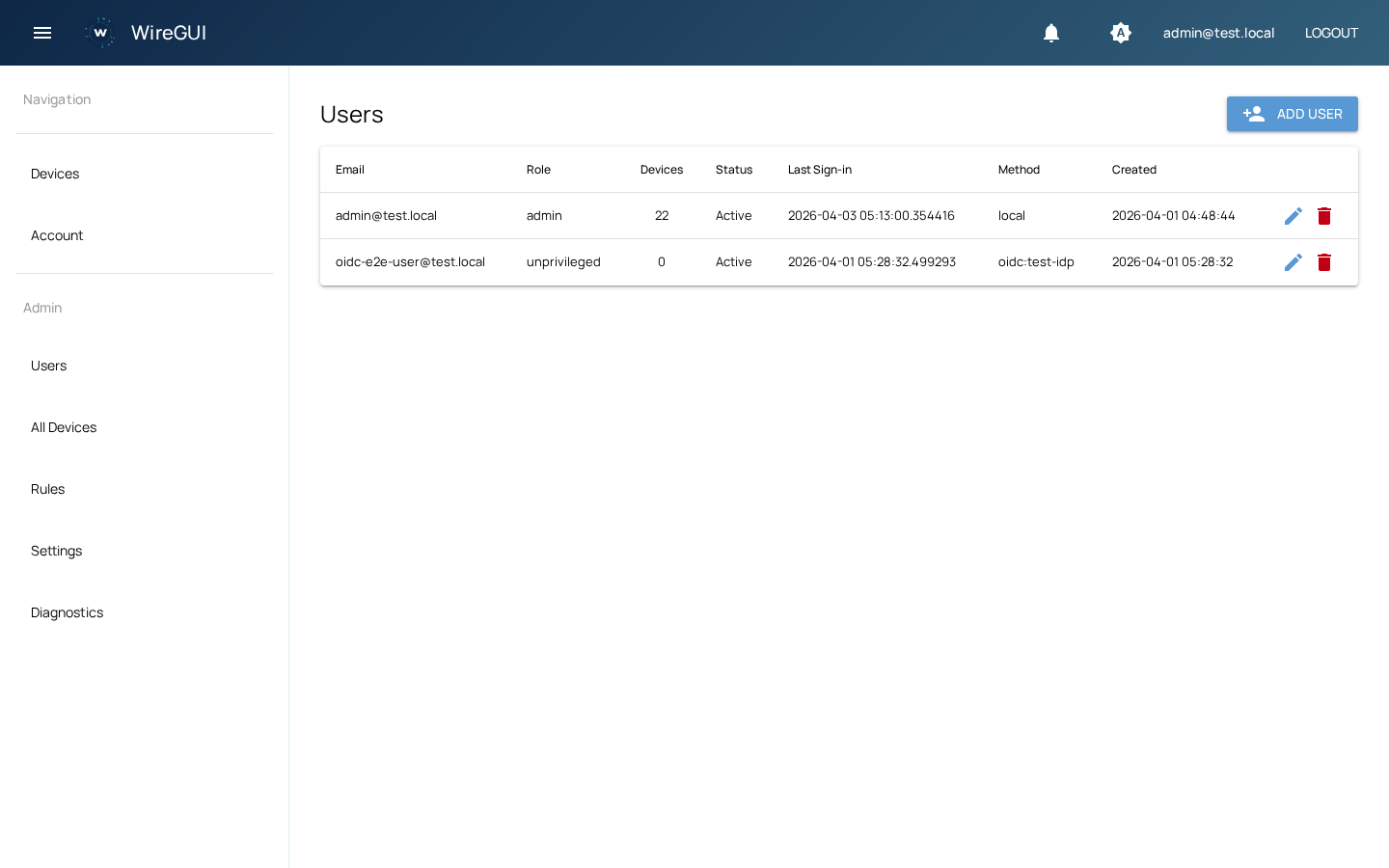
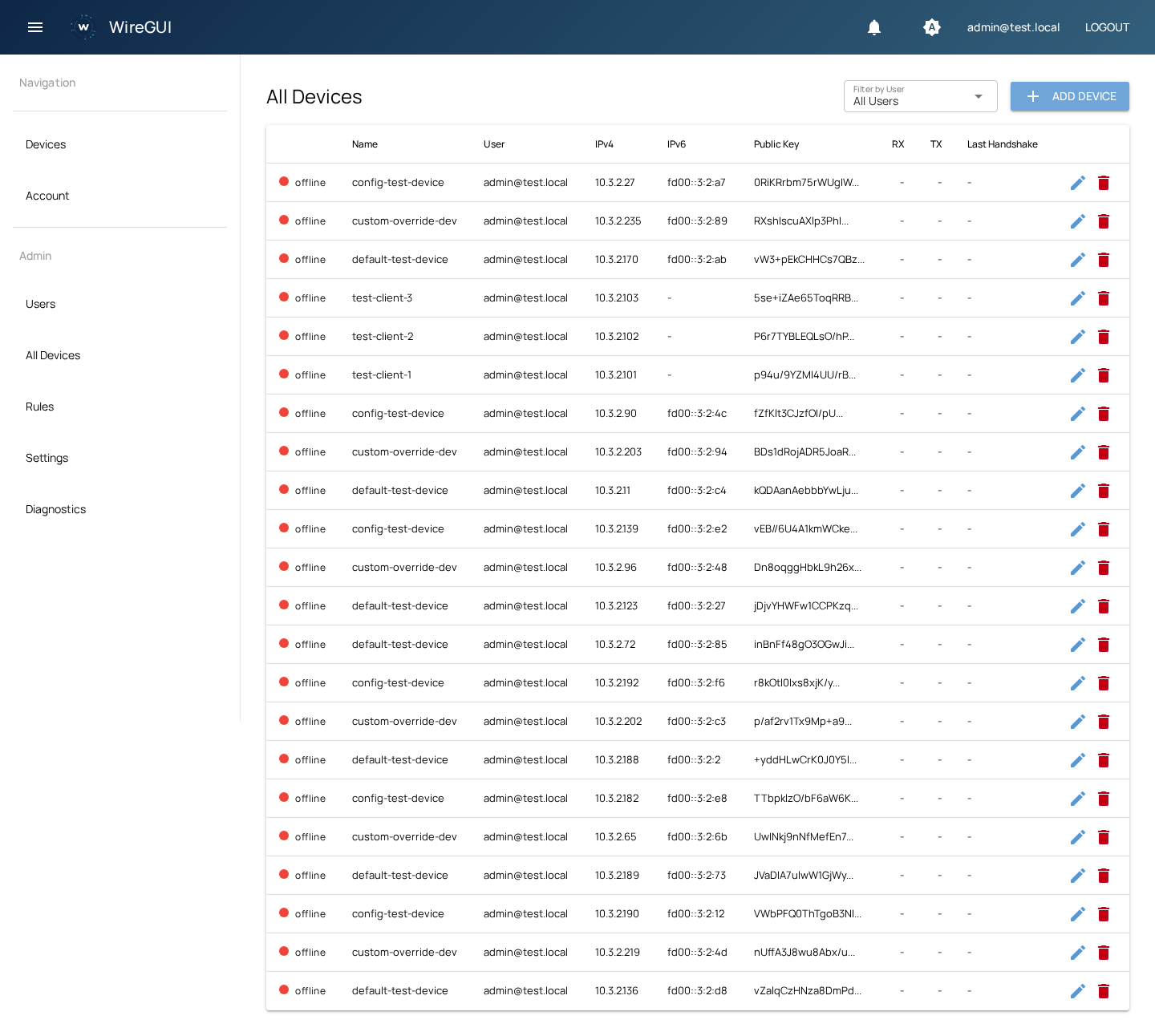
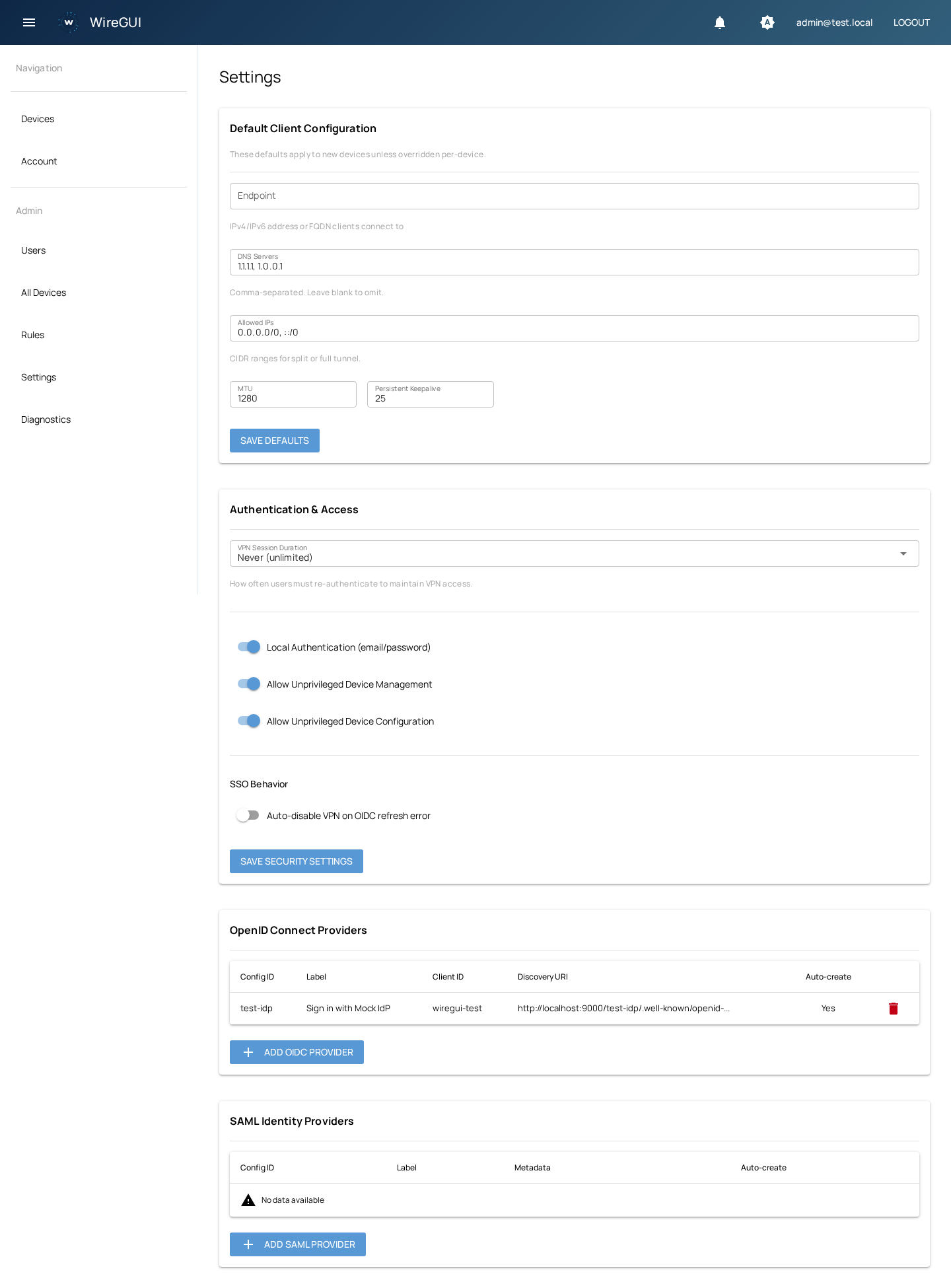
A clean, intuitive interface for every aspect of VPN management.
Docker Compose is the recommended way to deploy WireGUI.
# Clone the repository
git clone https://github.com/bartei/wiregui.git
cd wiregui

# Start everything
docker compose -f compose.prod.yml up -d
The container runs migrations automatically, manages the WireGuard interface, and requiresNET_ADMIN +SYS_MODULE capabilities.
# Install dependencies
uv sync

# Start PostgreSQL & Valkey
docker compose up -d

# Run migrations and start
alembic upgrade head
uv run python -m wiregui.main
Open http://localhost:13000— an admin account is created on first run (check the logs for the generated password).
Web UI & API
:13000 TCP
WireGuard VPN
:51820 UDP
Python
3.13+ required
Docker is the recommended path, but nothing in WireGUI requires it. Here is the full install on a plain VM or an LXC container.
WireGUI is a Python application that shells out to ip,wg andnft. The container image adds no magic — it installs those three tools, runsalembic upgrade head, and startspython -m wiregui.main withNET_ADMIN. A bare-metal install does exactly the same thing under systemd. What you give up is the bundled PostgreSQL, Valkey and VictoriaMetrics — you provide those yourself.
Python 3.13+
plus uv for dependency management
PostgreSQL 15+
local or remote; the source of truth
Valkey / Redis
sessions and cache
wireguard-tools
the wg CLI
iproute2
the ip CLI — creates and addresses wg0
nftables
the nft CLI — per-user chains and NAT
CAP_NET_ADMIN
required to manage the interface and firewall
WireGuard kernel module
in-tree since Linux 5.6
apt update
apt install -y python3 git curl \
    wireguard-tools iproute2 nftables \
    postgresql valkey-server

# uv, installed system-wide
curl -LsSf https://astral.sh/uv/install.sh \
    | env UV_INSTALL_DIR=/usr/local/bin sh
On releases without a valkey-server package, useredis-server — the wire protocol is the same.
dnf install -y python3 git curl \
    wireguard-tools iproute nftables \
    postgresql-server valkey

postgresql-setup --initdb
systemctl enable --now postgresql valkey

curl -LsSf https://astral.sh/uv/install.sh \
    | env UV_INSTALL_DIR=/usr/local/bin sh
Python version. WireGUI needs 3.13+. If your distro ships something older, you do not need a PPA — uv will fetch the right interpreter itself with uv python install 3.13, and uv sync will use it.
Create the role and database WireGUI will own. Valkey needs no configuration for a single-host install; it just has to be listening.
sudo -u postgres psql -c "CREATE USER wiregui WITH PASSWORD 'choose-a-real-password';"
sudo -u postgres psql -c "CREATE DATABASE wiregui OWNER wiregui;"

systemctl enable --now postgresql valkey-serverA dedicated system user owns the code and runs the service. It needs no login shell and no home directory beyond the install path.
useradd --system --home /opt/wiregui --shell /usr/sbin/nologin wiregui

git clone https://github.com/bartei/wiregui.git /opt/wiregui
chown -R wiregui:wiregui /opt/wiregui

# Build the virtualenv in /opt/wiregui/.venv
cd /opt/wiregui
sudo -u wiregui uv sync --no-dev
Dependencies install from prebuilt wheels on glibc x86-64 and arm64. On musl distributions such as Alpine, lxml andxmlsec (pulled in by SAML support) compile from source — add build-base libxml2-dev libxslt-dev xmlsec-dev pkgconfig first.
Every setting is an environment variable with the WG_ prefix. Put them in a file systemd reads, not in the shell history.
WG_DATABASE_URL=postgresql+asyncpg://wiregui:choose-a-real-password@localhost/wiregui
WG_REDIS_URL=redis://localhost:6379/0

# openssl rand -hex 32 — rotating this invalidates sessions and
# the encrypted secrets already stored in the database
WG_SECRET_KEY=replace-with-32-random-bytes

# WireGuard
WG_WG_ENABLED=true
WG_WG_ENDPOINT_HOST=vpn.example.com
WG_WG_ENDPOINT_PORT=51820
WG_WG_IPV4_NETWORK=10.3.2.0/24
WG_WG_IPV6_NETWORK=fd00::3:2:0/120

# Web
WG_HOST=0.0.0.0
WG_PORT=13000
WG_EXTERNAL_URL=https://vpn.example.com
WG_ADMIN_EMAIL=admin@example.com

# systemd captures stderr into the journal already
WG_LOG_TO_FILE=false
Lock the file down. It holds the database password and the key that encrypts stored secrets: chmod 640,chown root:wiregui.
Leave WG_ADMIN_PASSWORD unset. On first run WireGUI generates one and writes it to the log. Set it only if you are provisioning automatically.
The full variable list is in the configuration reference below.
A VPN server routes between the tunnel and everything else, so forwarding has to be on. This is per network namespace: setting it on an LXC host does not set it inside the container.
# /etc/sysctl.d/99-wiregui.conf
net.ipv4.ip_forward = 1
net.ipv6.conf.all.forwarding = 1

# Apply now
sysctl --systemAlembic reads WG_DATABASE_URL from the same environment, so export the file before running it.
cd /opt/wiregui
set -a; . /etc/wiregui/wiregui.env; set +a

sudo -u wiregui --preserve-env uv run alembic upgrade head
Run this once before the first start, and again after every upgrade. The service itself does not migrate — only the Docker image does that on boot.
WireGUI needs CAP_NET_ADMIN and nothing else privileged. Granting it as an ambient capability keeps the process off root.
[Unit]
Description=WireGUI
After=network-online.target postgresql.service valkey-server.service
Wants=network-online.target

[Service]
Type=simple
User=wiregui
Group=wiregui
WorkingDirectory=/opt/wiregui
EnvironmentFile=/etc/wiregui/wiregui.env
ExecStart=/opt/wiregui/.venv/bin/python -m wiregui.main
Restart=on-failure
RestartSec=5

# Manage wg0 and the nftables ruleset without being root
AmbientCapabilities=CAP_NET_ADMIN
CapabilityBoundingSet=CAP_NET_ADMIN
NoNewPrivileges=yes

# Hardening that does not interfere with networking.
# NiceGUI keeps session storage in .nicegui/ under the working
# directory, so that tree has to stay writable.
ProtectSystem=strict
ProtectHome=yes
PrivateTmp=yes
ReadWritePaths=/opt/wiregui

[Install]
WantedBy=multi-user.target
systemctl daemon-reload
systemctl enable --now wiregui
# The generated admin password appears here on first start
journalctl -u wiregui -fDo not put wg0 under a host network manager. systemd-networkd, NetworkManager and dhcpcd will happily claim an interface they did not create and strip its addresses. WireGUI restores them periodically and logs a warning when it has to, but the fix is to excludewg0 from the manager.
# The interface exists and carries the tunnel addresses
ip addr show wg0

# The server key and listen port are set
wg show wg0

# WireGUI's own nftables table is present
nft list table inet wiregui

# The app answers
curl -s localhost:13000/api/health
All four should succeed. Admin → Diagnostics shows the same state from the UI, including the live ruleset. Put a reverse proxy in front for TLS — seeDeployment for nginx and Caddy configs.
An LXC container shares the host kernel, so WireGuard works from inside it as long as the host provides the module and the container is allowed to run its own network namespace. This is the normal case on Proxmox: an unprivileged container is enough — it holdsCAP_NET_ADMIN within its own namespace, which is all WireGUI touches.
# Containers cannot load modules — the host must
modprobe wireguard
modprobe nf_tables
modprobe nft_masq

# Make it survive a reboot
printf 'wireguard\nnf_tables\nnft_masq\n' \
> /etc/modules-load.d/wiregui.conf# Can we create a WireGuard interface at all?
ip link add wgtest type wireguard \
&& ip link del wgtest && echo OK
# Can we program nftables?
nft list ruleset >/dev/null && echo OK
# Is forwarding on in THIS namespace?
sysctl net.ipv4.ip_forwardRun these before installing anything. If the first one fails, the host is missing the module or the container profile blocks it, and no amount of WireGUI configuration will help.
/dev/net/tun passthrough. Guides that add it are configuring the userspace wireguard-goimplementation, which WireGUI does not use.WG_WG_ENDPOINT_HOST to whatever clients see from the internet — not the container's private IP.A VM has its own kernel, so there is no host to coordinate with: steps 1–8 above are the whole install. Two things still bite people.
The hypervisor may filter
Routing traffic for the tunnel subnet means emitting packets with source addresses that are not the VM's own. Anti-spoofing or MAC filtering on the virtual NIC will silently drop them — on VMware disable MAC address changes and forged transmits, on Proxmox leave the firewall's IP filter off for that interface.
MTU
WireGUI hands clients an MTU of 1280, which is conservative enough for nested tunnels and most overlay networks. If your path is clean you can raise it, but 1280 is the safe default and rarely worth changing.
The database is the source of truth and the interface is rebuilt from it on every start, so an upgrade is a pull, a sync, a migration and a restart.
cd /opt/wiregui
sudo -u postgres pg_dump wiregui > /var/backups/wiregui-$(date +%F).sql

systemctl stop wiregui
sudo -u wiregui git pull
sudo -u wiregui uv sync --no-dev

set -a; . /etc/wiregui/wiregui.env; set +a
sudo -u wiregui --preserve-env uv run alembic upgrade head

systemctl start wiregui
Peers, rules and keys all live in PostgreSQL. That dump is the backup — there is no separate WireGuard state to preserve.
| Symptom | Cause | Fix |
|---|---|---|
RuntimeError: Operation not permitted on ip link add | The service has no CAP_NET_ADMIN. | Check AmbientCapabilities in the unit; in an unprivileged LXC, confirm the host loaded the wireguard module. |
nftables is not available in Admin → Diagnostics | nft cannot talk to the kernel, usually a missing capability or nf_tables module. | Run nft list ruleset as the service user; modprobe nf_tables nft_masq on the host if it fails. |
Peers connect but reach nothing | IP forwarding is off, so packets die at the server. | Verify sysctl net.ipv4.ip_forward returns 1 inside the container or VM, not just on the host. |
Clients get a config but never handshake | WG_WG_ENDPOINT_HOST or the UDP port is wrong or blocked. | The endpoint must be the address clients can reach from outside, and the UDP port must be forwarded to this host. |
Addresses vanish from wg0 | A host network manager claimed the interface. | Exclude wg0 from systemd-networkd, NetworkManager or dhcpcd. |
Still stuck? Open an issue on GitHubwith the output of the four verification commands above.
Everything you need to deploy and configure WireGUI. See the full wiki for detailed guides.
Multiple authentication methods can be used individually or in combination.
Default email/password login. Can be disabled when SSO is configured.
Integrate with Okta, Auth0, Keycloak, Azure AD, Google Workspace, or any OIDC-compliant provider.
Enterprise single sign-on with auto-provisioning and metadata configuration.
Passwordless email-based login. Requires SMTP configuration.
Time-based one-time passwords. Compatible with Google Authenticator, Authy, 1Password.
Hardware security keys (YubiKey) and platform authenticators (Touch ID, Windows Hello).
WireGUI is distributed as a Docker image. Migrations run automatically on startup.
server {
    listen 443 ssl;
    server_name vpn.example.com;

    location / {
        proxy_pass http://localhost:13000;
        proxy_http_version 1.1;
        proxy_set_header Upgrade $http_upgrade;
        proxy_set_header Connection "upgrade";
        proxy_set_header Host $host;
    }
}vpn.example.com {
reverse_proxy localhost:13000
}Caddy handles TLS certificates and WebSocket proxying automatically.
The database is the single source of truth. WireGuard interface state is fully reconciled from the database on startup.
docker compose exec postgres pg_dump -U wiregui wiregui > backup.sqlWhen "Allow local network to reach peers" is enabled in Admin → Rules → Network Policies, WireGUI configures its firewall to accept traffic from your LAN to VPN peers. However, your LAN'sdefault gateway (router) also needs a static route so it knows to send traffic destined for the WireGuard subnet to the WireGUI server instead of out to the internet.
Without this route, LAN devices can't reach VPN peers even if the policy is enabled — the router will forward WireGuard-subnet traffic to its WAN gateway where it gets dropped. The static route tells the router: "to reach the VPN subnet, forward packets to the WireGUI server."
In the examples below, we use the default WireGUI subnets and assume the WireGUI server's LAN IP is 192.168.1.100. Adjust these values to match your environment.
| Value | Example | Source |
|---|---|---|
| WireGuard IPv4 subnet | 10.3.2.0/24 | WG_WG_IPV4_NETWORK |
| WireGuard IPv6 subnet | fd00::3:2:0/120 | WG_WG_IPV6_NETWORK |
| WireGUI server LAN IP | 192.168.1.100 | Your network |
Run on the gateway, or add to /etc/network/interfaces / netplan for persistence.
# IPv4
ip route add 10.3.2.0/24 via 192.168.1.100

# IPv6
ip -6 route add fd00::3:2:0/120 via <server-ipv6-lan-addr>
To persist with netplan:
# /etc/netplan/01-static-routes.yaml
network:
  version: 2
  ethernets:
    eth0:
      routes:
        - to: 10.3.2.0/24
via: 192.168.1.100Most consumer and business routers have a static routes section under Advanced or Routing.
| Field | Value |
|---|---|
| Destination | 10.3.2.0 |
| Subnet Mask | 255.255.255.0 |
| Gateway / Next Hop | 192.168.1.100 |
| Interface | LAN |
/ip route add dst-address=10.3.2.0/24 \
    gateway=192.168.1.100
/ipv6 route add dst-address=fd00::3:2:0/120 \
gateway=<server-ipv6-lan-addr>set protocols static route 10.3.2.0/24 \
next-hop 192.168.1.100
set protocols static route6 fd00::3:2:0/120 \
next-hop <server-ipv6-lan-addr>
commit; saveNavigate to System → Routes → Configuration and add a new gateway and route.
| Field | Value |
|---|---|
| Destination network | 10.3.2.0/24 |
| Gateway | 192.168.1.100 |
ip route 10.3.2.0 255.255.255.0 192.168.1.100
ipv6 route fd00::3:2:0/120 <server-ipv6-lan-addr>From any LAN device, confirm the route is working:
# Should show the WireGUI server (192.168.1.100) as the next hop
traceroute 10.3.2.1

# Ping a connected peer (the peer must be online)
ping 10.3.2.2
If the traceroute shows your WAN gateway instead of the WireGUI server, the static route is missing or not applied.
All settings use the WG_ prefix and can be set via environment variables or a .env file.
| Variable | Default | Description |
|---|---|---|
WG_DATABASE_URL | postgresql+asyncpg://wiregui:wiregui@localhost/wiregui | PostgreSQL connection string |
WG_REDIS_URL | redis://localhost:6379/0 | Valkey/Redis connection |
WG_SECRET_KEY | change-me-in-production | JWT signing + Fernet encryption key |
WG_WG_ENABLED | false | Enable WireGuard interface management |
WG_WG_ENDPOINT_HOST | localhost | Public endpoint for client configs |
WG_WG_ENDPOINT_PORT | 51820 | WireGuard listen port |
WG_WG_IPV4_NETWORK | 10.3.2.0/24 | IPv4 tunnel network |
WG_WG_IPV6_NETWORK | fd00::3:2:0/120 | IPv6 tunnel network |
WG_ADMIN_EMAIL | admin@localhost | Initial admin email |
WG_ADMIN_PASSWORD | (auto-generated) | Initial admin password |
WG_EXTERNAL_URL | http://localhost:13000 | Public-facing URL |
WG_IDP_CONFIG_FILE | (none) | Path to YAML with OIDC/SAML IdP definitions |
Full programmatic access via /api/v0. Manage users, devices, rules, and configuration with API tokens.
curl -X POST https://vpn.example.com/api/v0/devices/ \
  -H "Authorization: Bearer wgui_xxxx" \
  -H "Content-Type: application/json" \
  -d '{"name": "laptop", "user_id": 1}'
Generate API tokens from theAccount Settingspage. Tokens use the Authorization: Bearer header.
All endpoints require API token authentication
/api/healthno auth/api/v0/users/List all users
/api/v0/users/Create user
/api/v0/devices/List all devices
/api/v0/devices/Create device
/api/v0/rules/List firewall rules
/api/v0/rules/Create rule
/api/v0/configuration/Get configuration
/api/v0/configuration/Update configuration
This project exists because infrastructure software should serve its users, not its investors. Too many VPN tools have been enshittified — features locked behind paid tiers, telemetry quietly added, self-hosting made deliberately painful.
WireGUI is AGPL-licensed specifically to prevent this. If you run it, you own it. If you modify it and offer it as a service, you share the source. No bait-and-switch, no open-core grift, no "community edition" that mysteriously lacks the features you actually need.
Software that manages your network traffic should be fully transparent and fully yours.